User:Screamer Cupcake/How to Get a Perfect Permalink: Difference between revisions
Jump to navigation
Jump to search

No edit summary Tags: Mobile edit Mobile web edit |
No edit summary Tags: Mobile edit Mobile web edit |
||
| (One intermediate revision by the same user not shown) | |||
| Line 1: | Line 1: | ||
== Step 1:Copy Link on Url == | == Step 1:Copy Link on Url == | ||
| Line 19: | Line 18: | ||
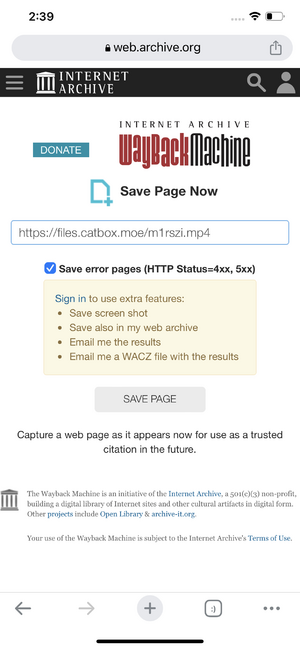
== Step 6:Then Go To [[Wayback Machine]] to paste a link click ''Save Page Now''. == | == Step 6:Then Go To [[Wayback Machine]] to paste a link click ''Save Page Now''. == | ||
[[File:Screenshot_348.png|thumb]] | [[File:Screenshot_348.png|thumb]] | ||
== Step 7:Click The Gray Button Says ''Save Page'' again and then copy to saved link. == | |||
[[File:Screenshot_523.png|thumb]] | |||
And thats how you get the perfect Permalink. | |||
{{Comments}} | |||
Latest revision as of 23:48, 13 May 2023
Step 1:Copy Link on Url

Copy that Link on this page.
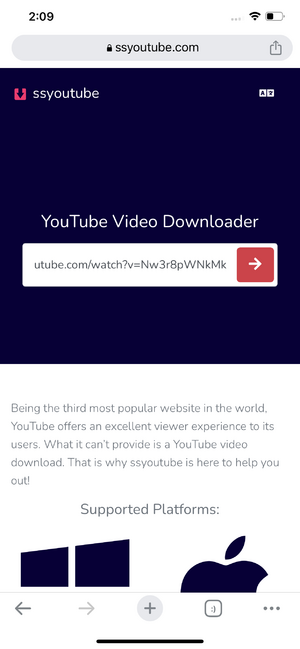
Step 2:Search YouTube Video Downloader on Google
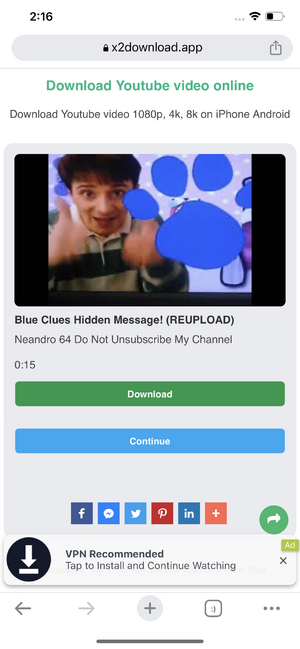
You can choose want everything just like SSYouTube or X2Download.
Step 3:Paste YouTube Url on SSYouTube.

Step 4:Click the Button to Download now Changed To X2Download.

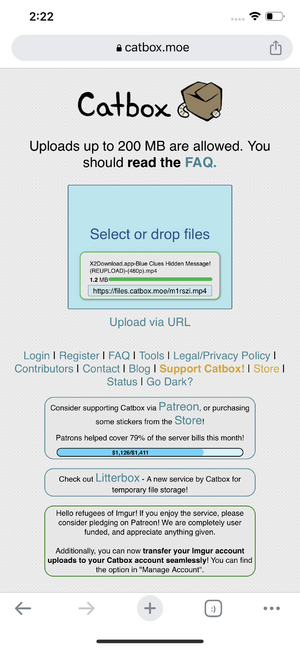
Step 5:Go to Catbox.moe with Small Files or Litter.Catbox.moe Big Files.

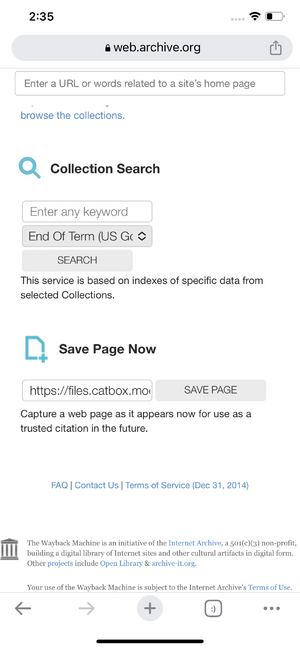
Step 6:Then Go To Wayback Machine to paste a link click Save Page Now.

Step 7:Click The Gray Button Says Save Page again and then copy to saved link.

And thats how you get the perfect Permalink.
Comments
Comments
Loading comments...